Arrive on-site already knowing the answer
Fault history, alert trends, and test reports, available before you walk through the door. Spend less time diagnosing and more time delivering value.
Diagnosing blind costs you time and contracts
You arrive on-site, walk up to a panel you haven't seen in months, and start from scratch. No history, no context, no idea what's been happening since your last visit. The building manager says 'it's been beeping', and that's the extent of your briefing. Meanwhile, you're trying to justify repairs to an owner who doesn't understand why they're necessary, competing against cheaper contractors who skip the thoroughness, and spending unpaid time on diagnostics that could have been done remotely.
-
 Arriving on-site with no context about the panel's recent history
 - Struggling to justify repair recommendations without data
- Losing contracts to cheaper competitors who cut corners
- Spending unpaid time diagnosing issues that could have been identified remotely
How Magnifire helps
Remote fault history, data-backed recommendations, and professional compliance reports: the tools that turn good contractors into indispensable ones.

Real-Time Monitoring
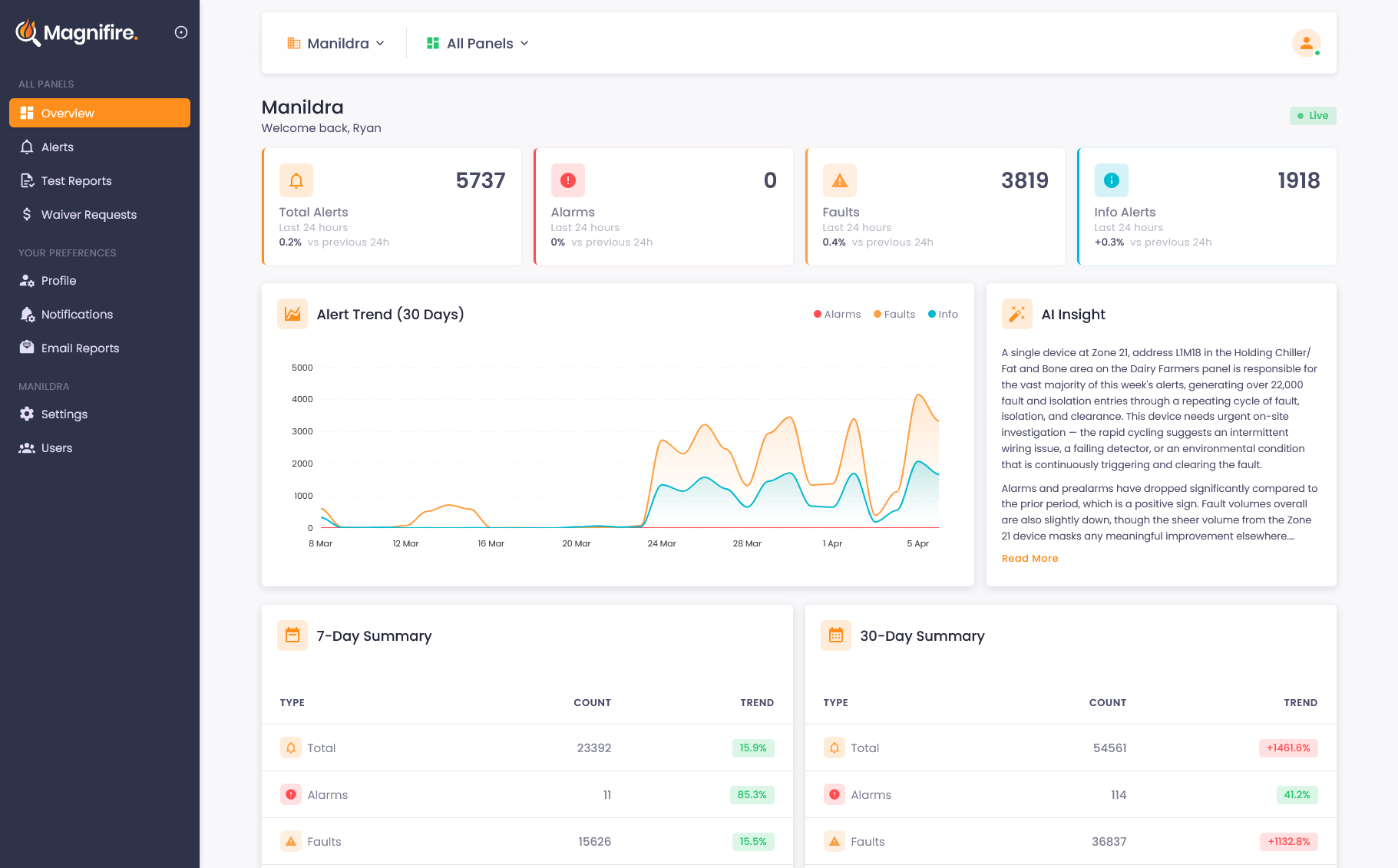
A live dashboard showing every panel's status, alert trends, and AI-generated insights, updating in real time, from anywhere.
Learn more →
Alert Intelligence
Instant alerts via app or SMS the moment an alarm is raised, fully configurable for any event type, with AI that translates cryptic panel messages into plain English so you know what to do.
Learn more →
Test Mode & Compliance
One-click test mode with notification suppression, automatic event tagging, and AS 1851 compliant PDF reports for every test session.
Learn more →
Scheduled Reports
Daily, weekly, and monthly fire system reports delivered to your inbox, keeping your team informed without anyone having to log in.
Learn more →Data-backed service that cheaper competitors can't match
When you have access to a panel's full event history before arriving on-site, everything changes. You know which detectors are problematic, which zones have recurring faults, and what's changed since your last visit. Your repair recommendations come with evidence. Your test reports are professional, AS 1851 compliant PDFs, not handwritten logbook entries. And your clients can see, in real data, the difference between your service and someone who just ticks boxes.
- Full fault history available before you walk in the door
- Data-backed repair recommendations that owners can trust
- AS 1851 compliant PDF test reports generated automatically
- Remote diagnostics reduce unpaid on-site troubleshooting time
A manual call point at L03M001, Zone 13 was activated in the South Line BGA area and cleared around 35 seconds later, after someone appears to have acknowledged it at the local panel.
This device has activated twice in the past 90 minutes, with both events clearing quickly and no fire-related fault or pre-alarm appearing beforehand or afterwards.
The short duration and lack of corroborating detector activity suggests this was likely an accidental activation rather than a genuine fire event, possibly from contact with the break-glass unit. Worth checking the device and asking if any work was happening in that area.
Testing that produces a deliverable, not a clipboard
Panel testing is where your expertise shows, but the documentation around it is where clients decide if you're worth keeping. Magnifire turns every test session into a timestamped, AS 1851 compliant PDF the moment you finish. One click activates test mode and silences notifications without touching the brigade connection. Every event is captured, every session is summarised, and at the end you hand your client a link to a professional report, not a photograph of a logbook page.
- One-click test mode suppresses notifications without breaking monitoring
- Every test event captured, timestamped, and tagged automatically
- AS 1851 compliant PDF reports ready the moment the session ends
- Tamper-proof digital records back up every entry in the site logbook
What changes when you have the data
Faster diagnostics
Review fault history remotely before arriving. Know which zones, which detectors, and which patterns to look for, so you spend time fixing, not searching.
Justified recommendations
When you recommend replacing a detector, you can show the data: how many faults it's generated, how often, and the trend over time. Evidence owners can understand.
Professional reporting
One-click test mode generates AS 1851 compliant PDF reports automatically. Every test event is logged, timestamped, and packaged. No manual paperwork.
Stronger client relationships
Clients who can see what's happening on their panels value the contractor who gives them that visibility. It's the kind of service that wins long-term contracts.
See what you've been missing
Whether you own, manage, or maintain fire systems, the visibility changes everything. We'll show you exactly how it works for your situation.