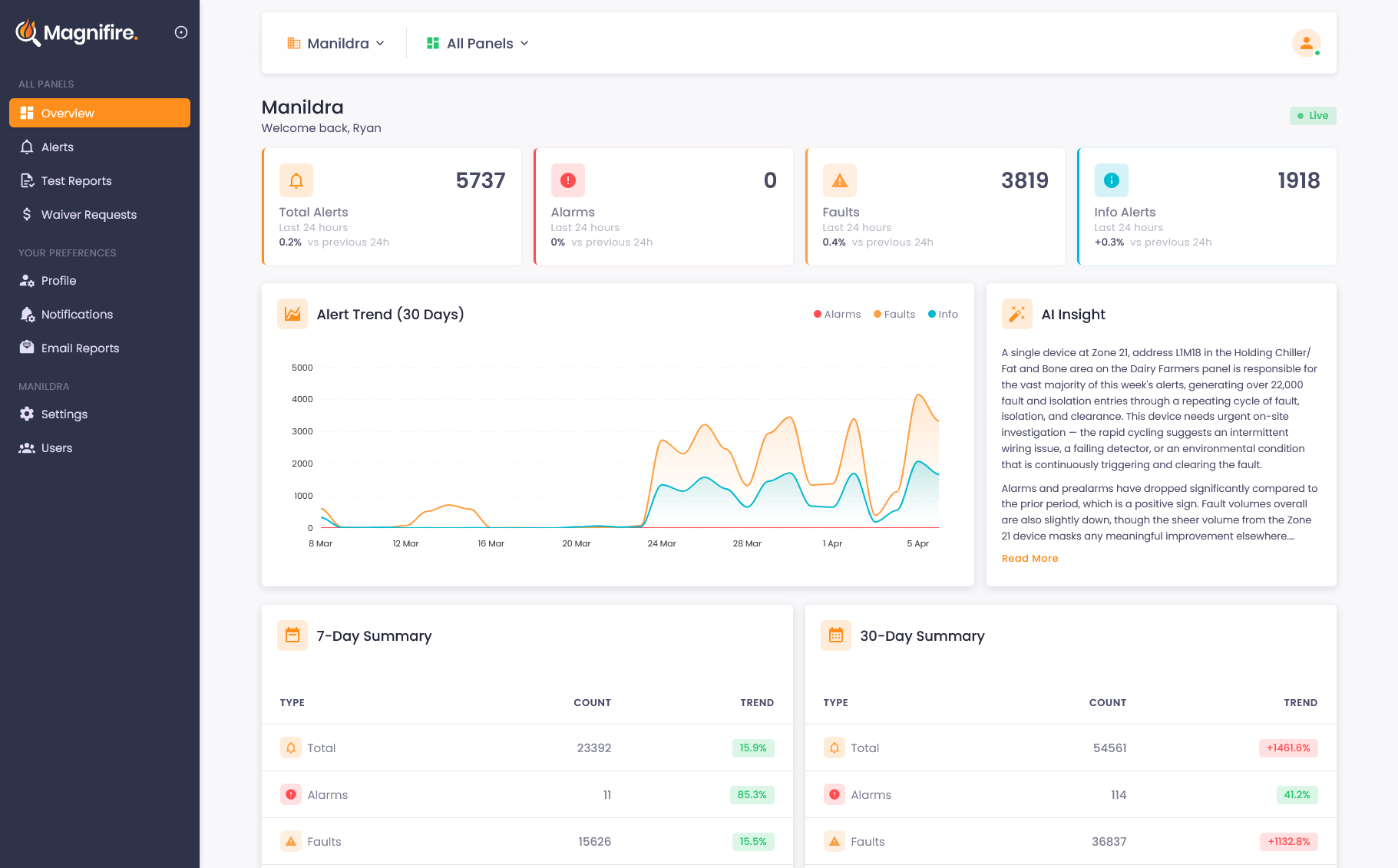
Know what's happening before the phone call comes
Instant alerts via app or SMS with AI classification that explains each event in plain English, so you can respond faster and with more confidence.
App and SMS the moment it matters
You shouldn't find out about a fire panel alarm from a phone call. Or worse, from a tenant. Magnifire sends instant notifications via app or SMS the moment an alarm is raised, so you're always the first to know, not the last.
-
 App or SMS within seconds: alarms by default, configurable for any event type
 - Per-panel notification rules for targeted alerts
- Rate limiting prevents notification fatigue
- Test mode suppression, so there are no alerts during testing
AI that understands what your panel is telling you
Raw fire panel messages are cryptic. Codes, abbreviations, and technical shorthand designed for technicians, not building owners or managers. Magnifire's AI reads every alert and translates it into something useful: what type of event it is, which zone and device are involved, and a plain-language explanation of what it actually means.
- Automatic classification into Alarm, Fault, Info, and Reset
- Plain-language explanation of what each alert means
- Alert timeline showing full context before and after
- Powerful filtering by type, zone, date, and device
A manual call point at L03M001, Zone 13 was activated in the South Line BGA area and cleared around 35 seconds later, after someone appears to have acknowledged it at the local panel.
This device has activated twice in the past 90 minutes, with both events clearing quickly and no fire-related fault or pre-alarm appearing beforehand or afterwards.
The short duration and lack of corroborating detector activity suggests this was likely an accidental activation rather than a genuine fire event, possibly from contact with the break-glass unit. Worth checking the device and asking if any work was happening in that area.
Alerts that are useful, not overwhelming
App & SMS Notifications
Instant alerts the moment an alarm is raised, delivered via the Magnifire app or SMS and fully configurable for any event type. Know what's happening whether you're in the office, at home, or on another site.

AI Classification
Every alert is automatically classified by type and severity, with a plain-language explanation that tells you what happened and whether you need to act.

Smart Filtering
Search and filter your alert history by type, zone, date range, or device. Find exactly what you're looking for in seconds, not minutes.

Alert Timeline
See the full sequence of events around any alert: what happened before, during, and after. Context that helps you understand the cause, not just the symptom.
Common questions about alerts
Notifications are sent within seconds of an event occurring on your fire panel. App alerts arrive almost instantly. SMS delivery depends on your mobile carrier, but in most cases you'll have the alert in under 30 seconds.
Yes. By default, alerts are configured for alarms only, which is what almost every customer wants. You can fine-tune rules per panel, choosing which event types trigger app and SMS notifications, and set rate limiting to prevent fatigue during high-volume events like testing or a cascading fault.
Raw fire panel messages are often cryptic: codes, abbreviations, and technical shorthand that only a panel technician would understand. Magnifire's AI reads each message and classifies it by type (alarm, fault, isolation, reset), extracts the zone and device, and writes a plain-language explanation of what happened and whether it needs attention.
See what you've been missing
Whether you own, manage, or maintain fire systems, the visibility changes everything. We'll show you exactly how it works for your situation.