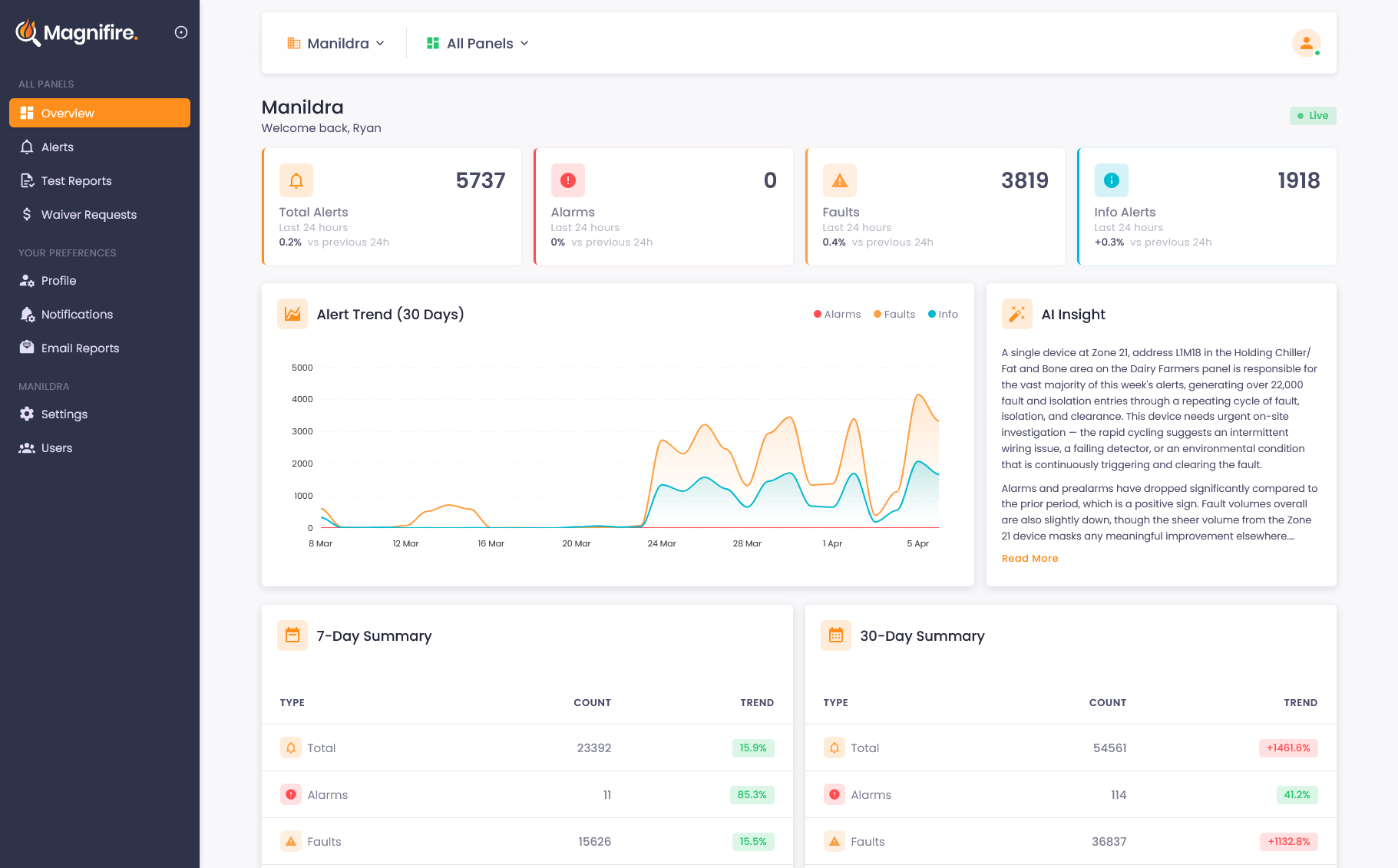
Every panel, every building, one dashboard
Managing fire compliance across multiple buildings shouldn't mean juggling logins, spreadsheets, and site visits. One dashboard gives you everything.
Stop juggling spreadsheets and site visits
Managing fire compliance across multiple buildings is a logistical nightmare. Different panels, different contractors, different timelines, and the only way to know what's happening is to physically be there or wait for someone to call. Magnifire gives you one dashboard for everything. Every panel, every building, every organisation: visible and searchable from wherever you are.
-
 Every panel across every building in one place
 - Instant status: online, offline, with last-seen timestamps
- Switch between organisations seamlessly
- No site visits needed for routine status checks
The right access for the right people
Not everyone needs the same level of control. Building owners need full visibility. Site managers need operational access. Wardens need quick status checks. Magnifire's role-based access means each person sees exactly what they need: no more, no less. And because users can belong to multiple organisations, your team doesn't need a different login for every building.
- Role-based access with admin and standard roles
- Multi-organisation support: one login for all your sites
- Per-organisation permissions that stay isolated
- Invite team members by email with role assignment
Built for portfolios, not just single buildings
Organisation Switching
Move between organisations instantly from one dashboard. No logging out, no separate bookmarks. Just select the organisation you need and you're there.
Role-Based Access
Admins manage settings and users. Standard users view dashboards and reports. Everyone gets the access they need without the risk of accidental changes.

Per-Organisation Workspace
Belong to multiple organisations with one login, but each switch gives you a clean workspace. Panels, alerts, settings, and notifications stay scoped to the org you're in, so context never bleeds between clients or sites.
Common questions about multi-site management
Yes. A single login can belong to multiple organisations. You switch between them seamlessly from the dashboard. No logging out, no separate accounts. Each organisation's data is completely isolated, so you only ever see what you're authorised to see.
Admins can manage panel settings, invite and remove team members, assign roles, and configure notifications. Standard users can view dashboards, browse alerts, and access reports: everything they need for day-to-day visibility without the risk of accidental configuration changes.
Never. Each organisation's panel data, alerts, reports, and settings are completely isolated. Even if a user belongs to multiple organisations, they can only see each organisation's data when they've explicitly switched into it. There's no cross-contamination.
See what you've been missing
Whether you own, manage, or maintain fire systems, the visibility changes everything. We'll show you exactly how it works for your situation.